
01
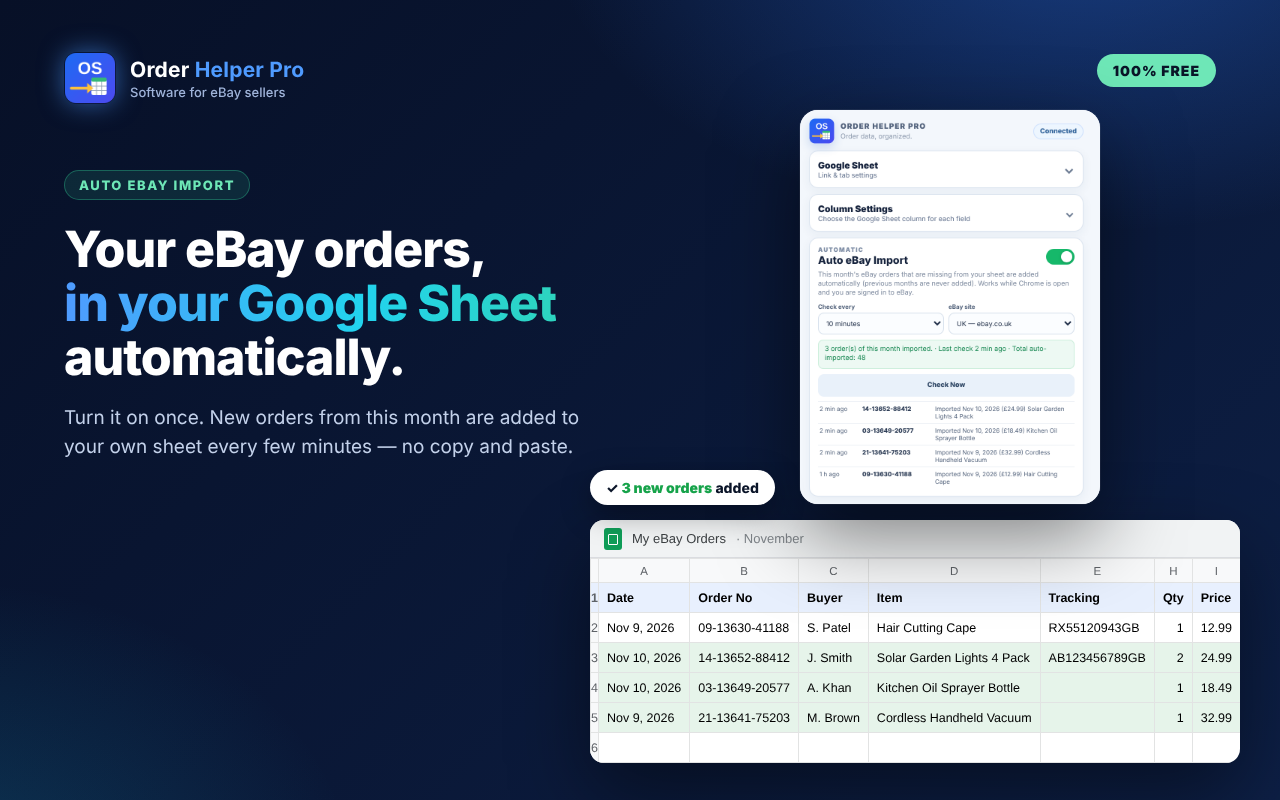
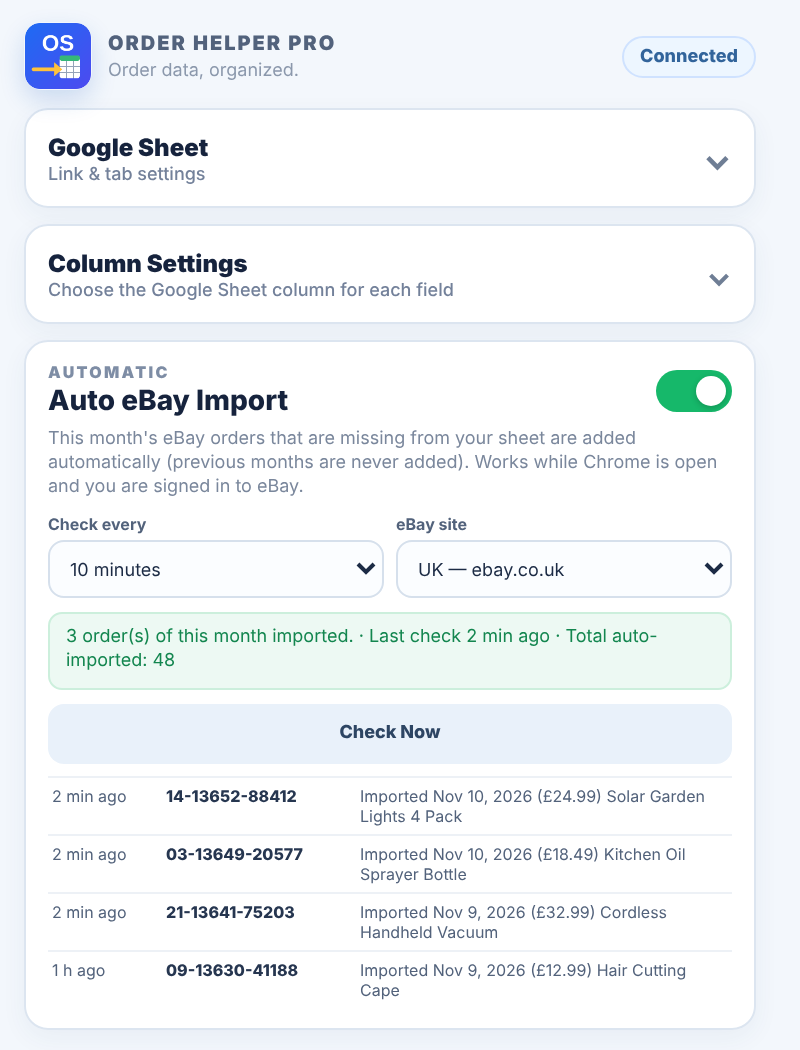
Auto eBay Import
Turn it on once — this month's new eBay orders are added to your sheet automatically.
The free extension that puts your eBay orders into your own Google Sheet.
Turn it on once — this month's new eBay orders are added to your sheet automatically.
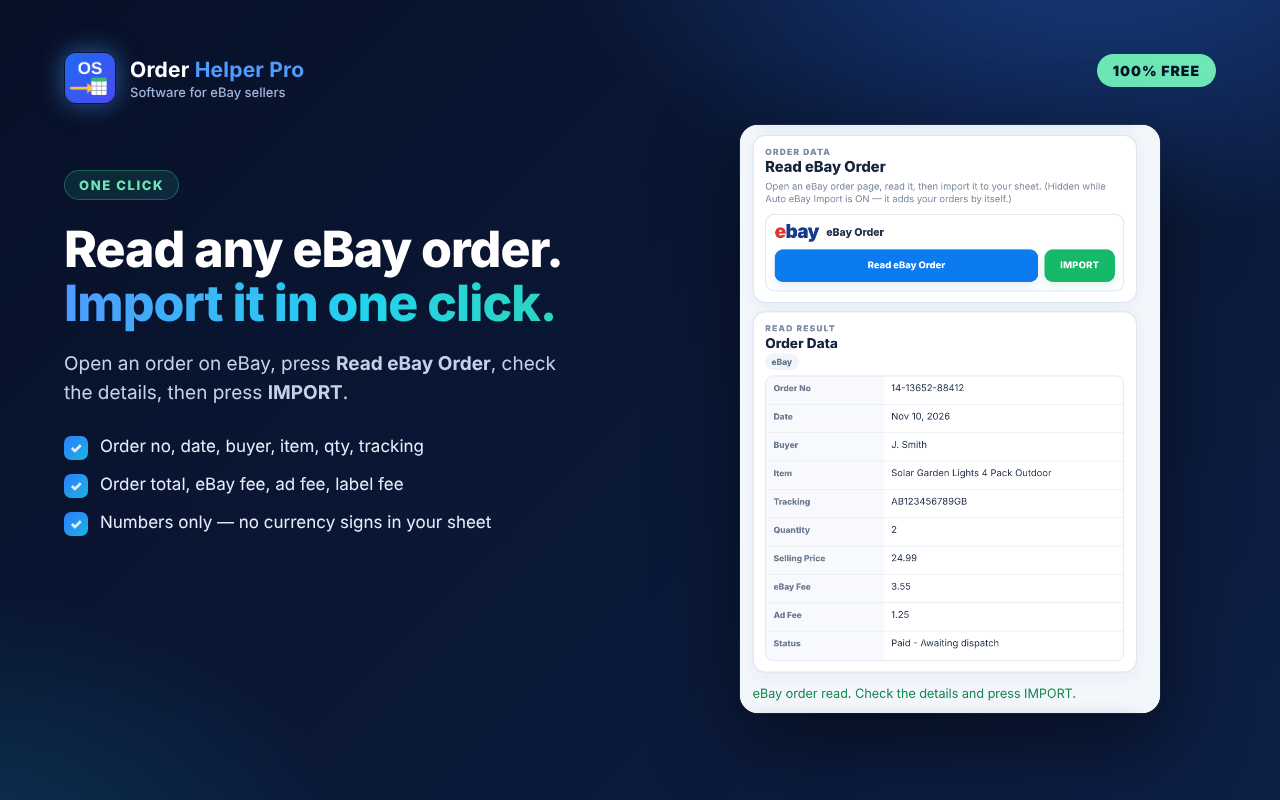
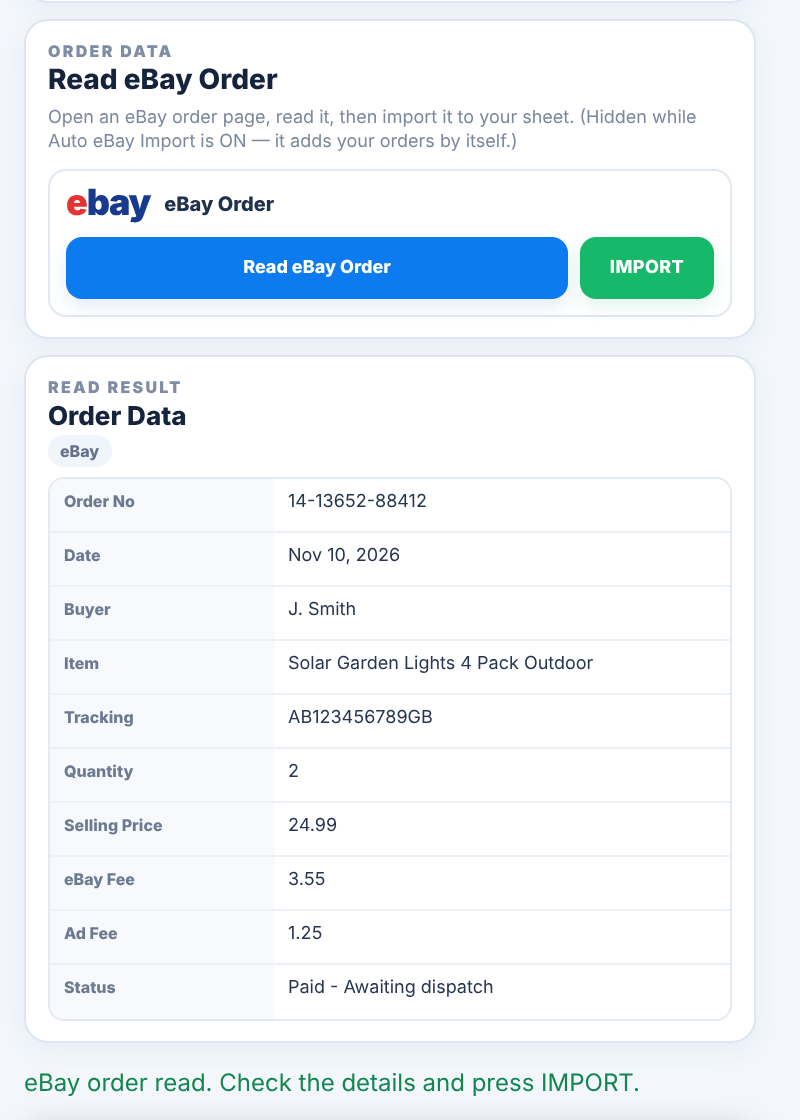
Open an order, press Read eBay Order, check the data, then press IMPORT.
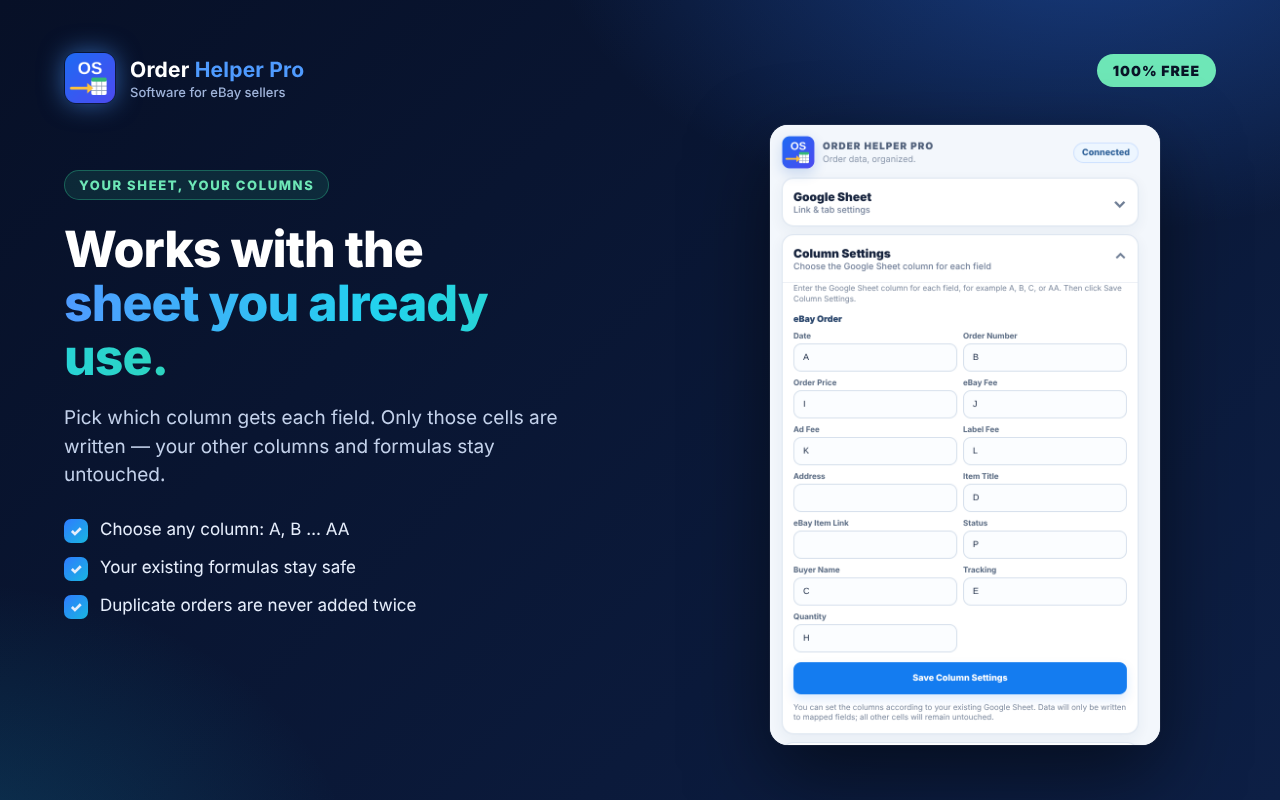
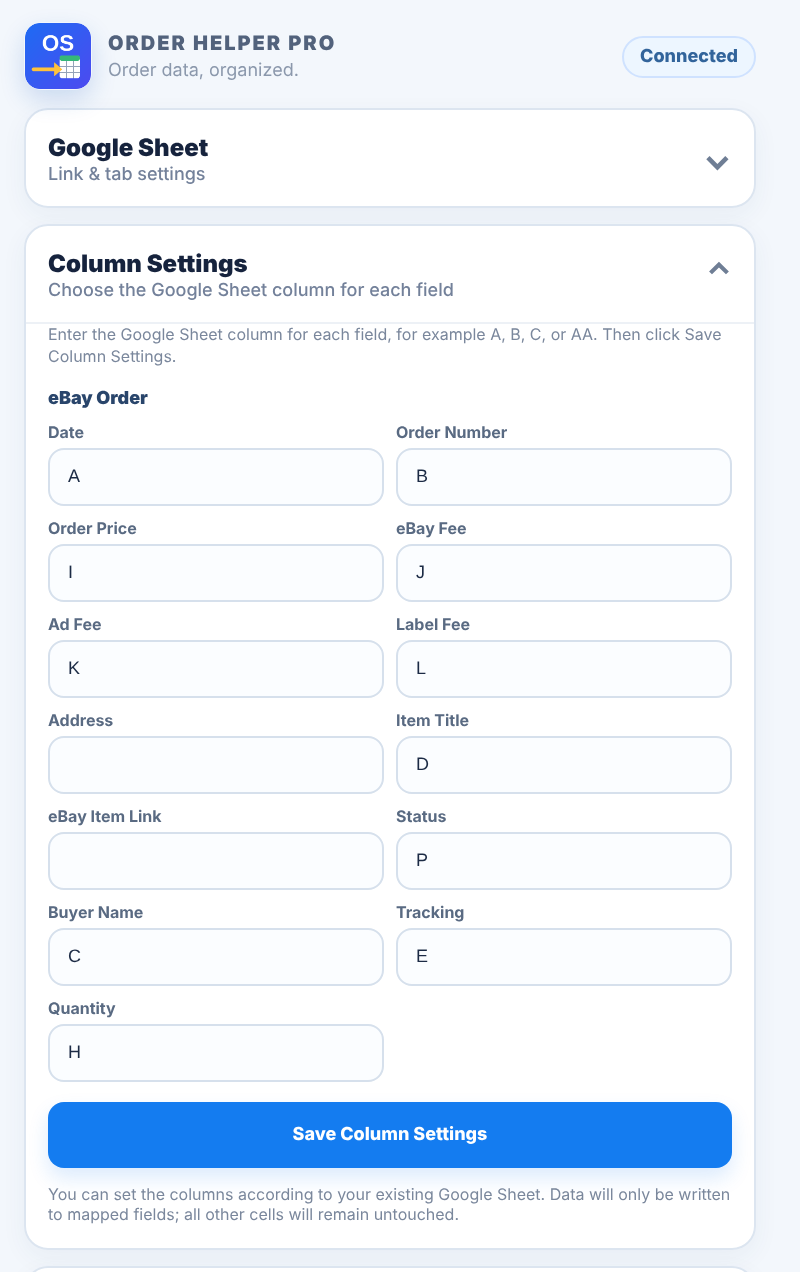
Choose the column for every field. Your other columns and formulas stay untouched.
Every eBay country, no duplicates, private by design — and free.

Click any picture to see it full size.
Google Sheet, Column Settings, Auto eBay Import and Read eBay Order in one small window.
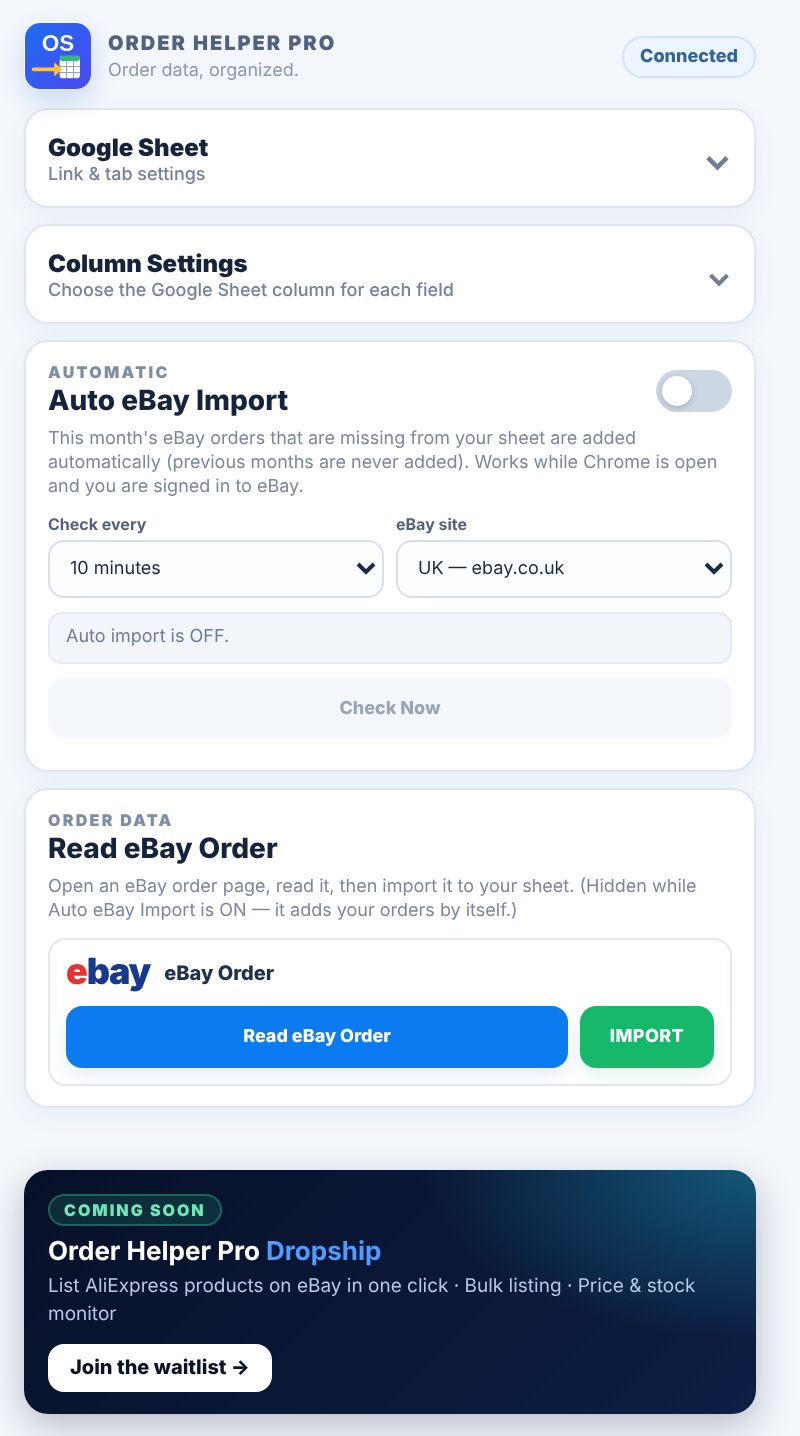
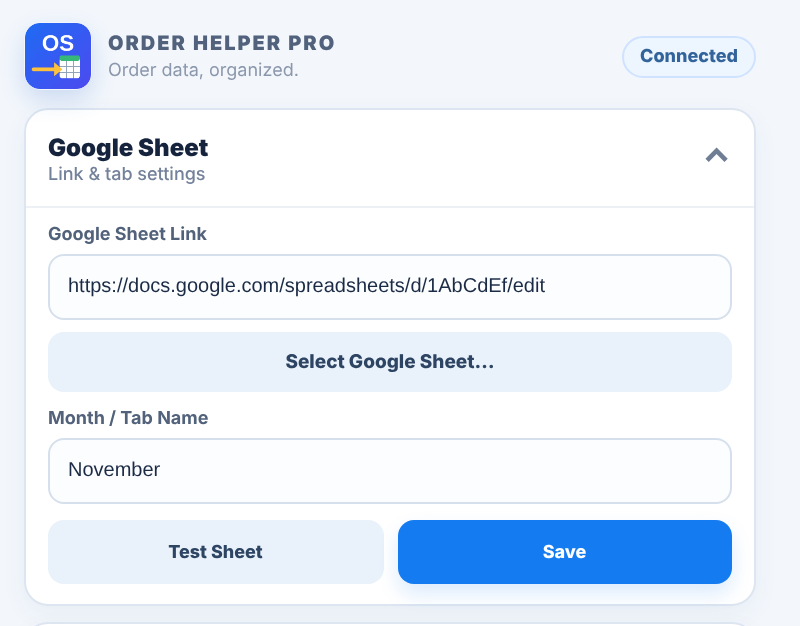
Choose your sheet with Select Google Sheet…, type the exact tab name, save and test.
A letter for each field — only these columns are written.
Status and a list of the orders that were added.
Check the order data before you import it.
Install the extension, follow the 5-minute guide and let your orders arrive by themselves.